EasyDock
Everyday Mac utilities in one native menu bar app: click the Dock to minimize, ⌘Tab between windows, encrypted clipboard history, system stats and cleanup. Version 1.3.1.
- Type
- Personal project
- Period
- 11/2026 – present
- Built with
What it does
- Click the Dock icon of the app in front to minimize its windows and bring back the app used before it; click again and they all return, like the Windows taskbar.
- ⌘Tab switches between windows, not apps: each window with its picture and title, most recent first, including minimized windows and windows on other Spaces, from every desktop or only the current one.
- A clipboard history of text, rich text, images and files, searchable and pinnable, opened next to the pointer with ⌘⇧V and pasted straight into the app in front.
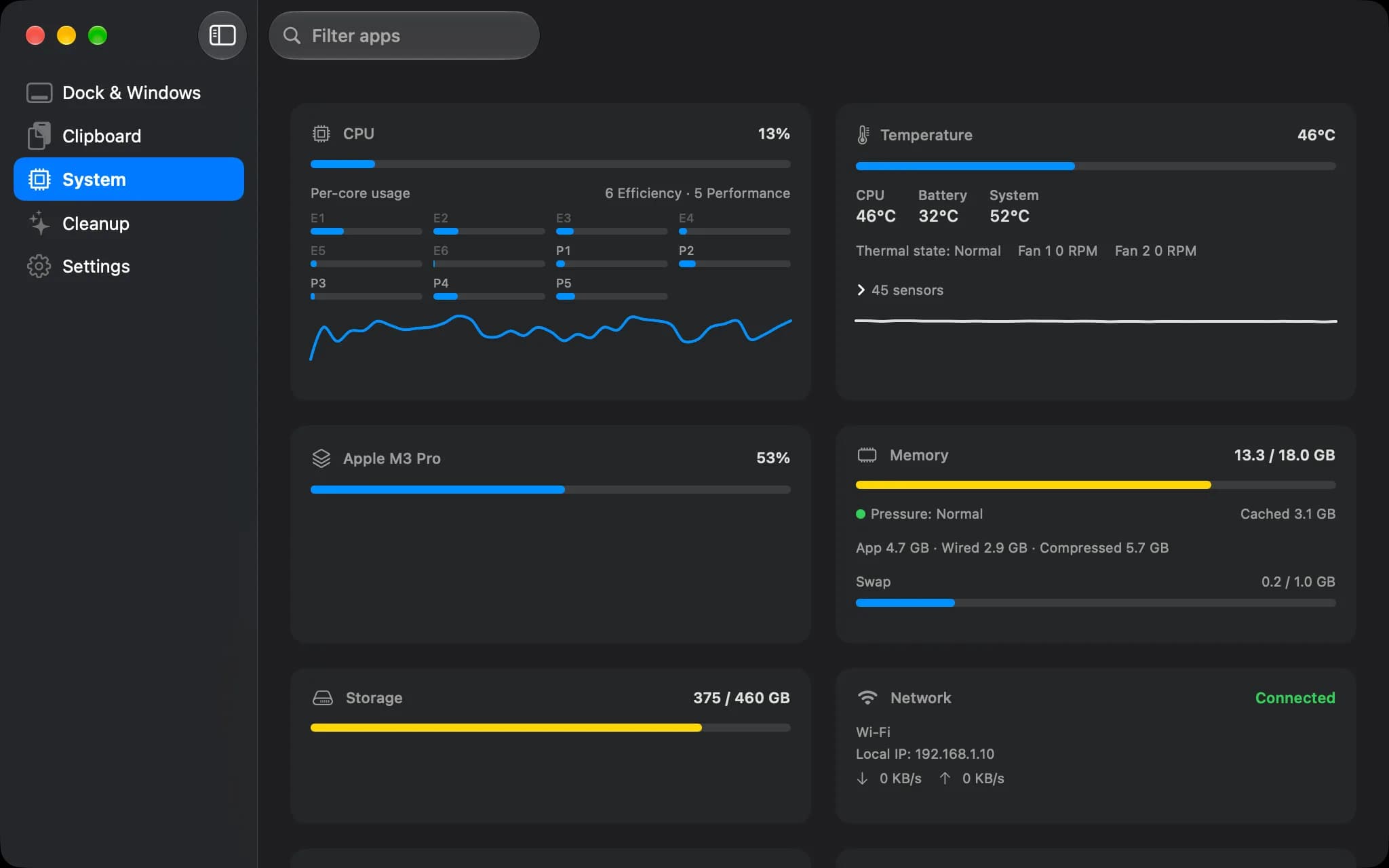
- System: CPU per core, GPU, memory, disks, battery health, temperatures and network, with charts of the last hour or day, and Quit or Force Quit for any app or process.
- Cleanup: caches and build leftovers, large files, old downloads and an uninstaller that lists every app with its size and last use, removes several at once with what they left in the Library and notices an app moved to the Trash; everything is previewed and goes to the Trash.
- Background Items: the launch agents and daemons apps installed, with their app, whether they run and their memory.
- Drop Zone: a shelf above every window for files, pictures, links and text, opened by shaking a dragged file, dragging onto the notch or pressing ⌃⌥Z.
- Quick Convert: from Finder's right-click menu or the Drop Zone, pictures to WebP, AVIF, HEIC, JPEG or PNG and videos to MP4, H.264 or HEVC, each result a new file next to the original.
- Extract: RAR, 7z, ZIP, TAR, GZ, XZ, ZST, CAB and ISO archives, with a password or split into parts, from a double-click, Finder's right-click menu or the Drop Zone; the contents go next to the archive and nothing is replaced.
- Tools: Always on Top keeps a live copy of a pinned window above the others, a color picker copies any color on screen in sRGB, and Keep Awake holds the Mac awake for a while or while chosen apps are open.
- A menu bar panel with a switch for each feature, in English and Vietnamese, light and dark.
Engineering highlights
- The system's ⌘Tab is a setting of the whole Mac that outlives the app: a watcher, the same executable started a second time, turns it back on even if EasyDock is killed, and a check every half second hands it back when Accessibility is revoked or a password field asks for secure input.
- Real windows are told apart through the window server's Spaces, which also finds windows on other desktops and in Stage Manager's strip; every undocumented call is looked up at run time in one file, so a missing one turns its feature off instead of crashing.
- The keyboard tap only decides; bringing a window forward runs after it returns, so a hung app can never hold up the keyboard.
- Clipboard items are sealed with AES-GCM under a key in the login Keychain, with the previews sealed apart so the list never decrypts whole images; deleted rows are overwritten, and copies from password managers or excluded apps are refused before they are read.
- macOS lets no app put another app's window above the one in use, so Always on Top streams the pinned window with ScreenCaptureKit into a floating panel of its own, only while that window is covered.
- Image I/O reads WebP but cannot write it, so Quick Convert links libwebp for WebP and leaves AVIF, HEIC, JPEG and PNG to Image I/O and videos to AVFoundation; nothing leaves the Mac.
- Extract runs 7-Zip 26.05, built from its unmodified source, as a separate program in a sandbox that can only read the archive and write next to it; only the reader for the format the file's first bytes show is allowed, everything extracted keeps the archive's quarantine, and ZIP names from older Windows tools are read in their own code page.
- 258 tests: 203 in the core package, headless, and 55 in the app.